Your website
Creating your organisation's public page
A self-paced course to create a complete public page that presents your organisation and brings all its fundraising together.
- 5 modules · 8 min
- 1 practical guide to download
- 6 articles to go further
Introduction
Course content
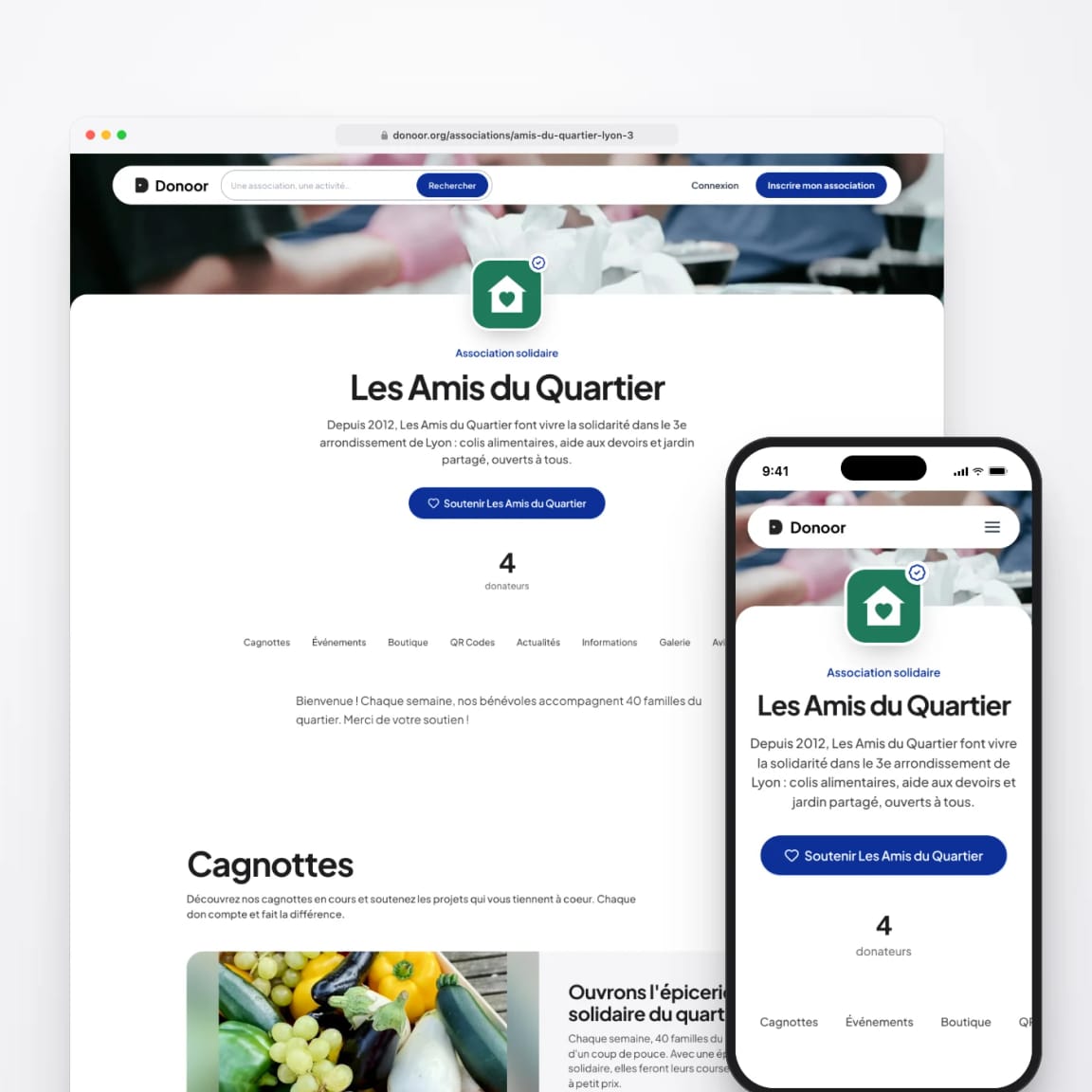
Every organisation has its own page on Donoor: introduction, opening hours, news, photos, and all its fundraising in one place. Fill it in, choose its address and help Google find it.
- Create and customise your organisation's public page
- Keep it alive: news, gallery, testimonials and FAQ
- Choose its address and make it visible on Google
Module 1
Creating your web page
Your organisation already has its page: all that's left is to fill it in.
Module content · 2 min
- Where to find your page and its address
- The cover image and the description
- The welcome message, the video and your social media
- The preview before publishing your changes
Content you may find useful
See the step-by-step guide (5 steps)
- 1
Open your page
In the menu, click My public page. Your public page is at donoor.org/associations/your-organisation-name.
- 2
General
Add a Cover image (banner format, 1400 × 400 px), choose your organisation's Theme, write its Description and enter the Public contact email address.
- 3
Introduction
Write a Welcome message, add a YouTube Presentation video if you have one, and the links to your website and social media (Facebook, Instagram, YouTube, TikTok, LinkedIn…).
- 4
Check and save
Open Preview to see the page as your visitors do, on computer and on mobile, then click Save in the blue bar at the top of the page.
- 5
From your phone
In the Donoor app, tap your organisation at the top of the home screen, then My website: the same settings, up to date everywhere.
Module 2
Opening hours, documents and FAQ
Answer your visitors' questions in advance: when to come, how to reach you, what they need to know.
Module content · 2 min
- Showing your opening hours
- Adding documents to download
- Creating your FAQ
- Choosing which figures are shown
Content you may find useful
See the step-by-step guide (4 steps)
- 1
Your opening hours
In Contact and hours, switch on Show opening hours on the public page, then click Edit under each day: switch on Open this day and enter the opening and closing times.
- 2
Your documents
In Documents, add what your visitors should be able to download: constitution, programme, internal rules…
- 3
Your FAQ
In FAQ, click Add a question for each question you are often asked: registration, prices, access, opening hours…
- 4
Your figures
In Advanced options, choose whether to show the amount raised, the number of donors and the number of fundraisers.
Module 3
News, gallery and testimonials
A page that feels alive builds trust: show what your organisation does, in photos and news.
Module content · 2 min
- Posting a news item
- Adding photos to the gallery
- Showing testimonials
Content you may find useful
See the step-by-step guide (3 steps)
- 1
Post a news item
In News, click Add a news item: a title, some text and an image. A past event, a completed project, a thank-you…
- 2
Fill the gallery
In Gallery, click Add photos: up to 6 photos of your premises, your volunteers and your work.
- 3
Add testimonials
In Testimonials, add up to 10 short messages from volunteers, beneficiaries or partners.
Tip
Your fundraisers, events, memberships and online shop appear on your page: it becomes the single entry point to your organisation.
Module 4
Choosing your page's address
A short, clear address that is easy to say and remember.
Module content · 1 min
- Changing your page's address
- The rules for the address
- Sharing your page
Content you may find useful
See the step-by-step guide (3 steps)
- 1
Change the address
In the Your public page banner, click Edit, then type the new address: lowercase letters, numbers and hyphens, at least 3 characters.
- 2
Confirm
Click Save, then Confirm the change. Note: the old address will stop working. Change it before printing it on your posters.
- 3
Share
The Copy and Share buttons spread your page on your social media, in your emails and on WhatsApp.
Module 5
Getting found on Google
Your Donoor page is built to be found: help Google by filling it in well and sharing it.
Module content · 1 min
- What helps Google find you
- The right words in your description
- Links to your page
Content you may find useful
See the step-by-step guide (3 steps)
- 1
Fill in everything
A complete page (description, opening hours, photos, FAQ, news) is better understood by Google than an empty one.
- 2
Use your visitors' words
In your description, write what people are searching for: the type of organisation, the town, the activities. “Football club in Lyon 8th district, for children aged 6 to 14”.
- 3
Build links
Put your page's address on your Google Business Profile, your social media, your emails and your town hall's website: every link helps Google find it.
Questions? We have answers
Is the web page really free?
Yes. Every organisation registered on Donoor has its own web page, with no subscription or hosting fees.
Can I use my own domain name?
Not at the moment: your page is at donoor.org/associations/your-organisation, which you can customise. If you already have a website, you can add Donoor's donation widget to it.
Do I need technical skills?
No. Everything is filled in from your dashboard, section by section, with a live preview.
Will my page appear on Google?
Yes, organisation pages are built to be found on Google and in the Donoor directory. The more complete your page, the better its chances of ranking well.
Got a question? Let's talk.
30 minutes on a video call to discover Donoor, ask your questions and set up your organisation together.
Free, no commitment