QR codes
Collecting donations with QR codes
A self-paced course to collect donations on your premises and at your events, without cash and without buying any equipment.
- 5 modules · 8 min
- 1 practical guide to download
- 8 articles to go further
Introduction
Course content
Your donors no longer carry change? They scan a QR code with their phone and give in a few seconds. Create your QR codes, print your posters and show your fundraising live on a screen.
- Create and customise your donation QR codes
- Print ready-to-use posters and flyers
- Show your fundraising live on a screen
Module 1
Why QR codes?
Less cash, more phones: QR codes let everyone give, even without change.
Module content · 2 min
- Why cash donations are falling
- What the donor experiences when they scan
- Where to place your QR codes
See the step-by-step guide (3 steps)
- 1
A gesture everyone knows
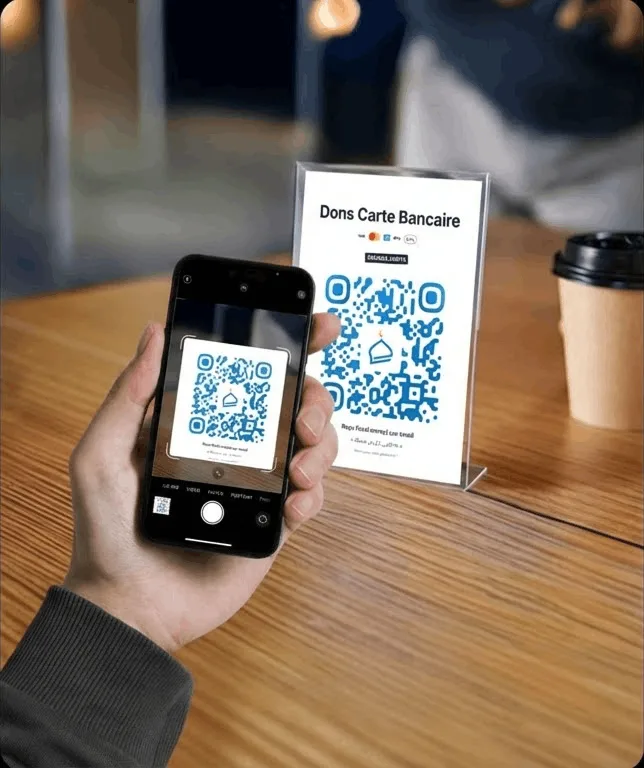
The donor opens their phone's camera, points it at the QR code and lands on the donation page. They pay by card, Apple Pay or Google Pay, without installing anything.
- 2
Wherever your donors go
At the entrance, on tables, on a flyer, on a screen: one QR code per location, each with its own statistics.
- 3
And to collect in person
A volunteer can also take a card payment with their phone using Tap to Pay: that is the subject of a separate course.
Module 2
Creating your donation QR codes
One QR code per place or use, each with its own scan and donation statistics.
Module content · 2 min
- Naming the QR code and giving its location
- Adding a fundraising goal
- Customising colours, shapes and logo
- Downloading the QR code and tracking its scans
Content you may find useful
See the step-by-step guide (5 steps)
- 1
Create the QR code
In the menu, click QR codes, then New QR code.
- 2
Identify it
Give it a QR code name (“Main entrance”, “Reception desk”…), a Location and, if you like, a Custom message shown to donors.
- 3
Add a goal
In Fundraising goal, choose General fundraiser or New goal, with a target amount and a progress bar.
- 4
Customise it
In Customisation, pick a preset style or set the colours and the shape of the dots and corners yourself, and add your Logo in the centre. The Readability indicator tells you whether the QR code is still easy to scan.
- 5
Save and download
Click Create QR code. On its card, Download gives you a high-definition image, and Copy the link the address of its donation page.
Tip
Create a different QR code for each place or medium (entrance, flyer, Ramadan…): their statistics will tell you which one brings in the most. You can create up to 50.
Module 3
Creating a print-ready poster
Turn your QR code into a poster or flyer, without any design software.
Module content · 2 min
- Choosing a poster template
- The format: from an A6 flyer to a large A2 poster
- Editing the text and colours
- Downloading as a PDF for the printer
Content you may find useful
See the step-by-step guide (5 steps)
- 1
Open the editor
On your QR code's card, click Create a poster.
- 2
Choose a template
In Templates, filter by style (Spiritual, Nature, Modern, Classic) and choose the one that suits you.
- 3
Choose the format
In Format: A6 for a flyer, A5, standard A4, A3 or A2 for a large poster, or a square format for social media.
- 4
Customise
Edit the text, the Background and the Global font. The QR code always stays in the right place.
- 5
Download
Click PDF for a print-ready poster, or Download for an image to share.
Module 4
Showing your fundraising on a screen
A giant QR code and a gauge that rises live with every donation, on the TV in your hall.
Module content · 1 min
- Choosing the QR code to display
- Setting the size, the amount and the progress bar
- Switching to full screen
Content you may find useful
See the step-by-step guide (4 steps)
- 1
Open the display
At the bottom of the menu, click TV display, or the screen icon on a QR code. Open the page on the computer connected to your screen.
- 2
Choose the QR code
Select your fundraising QR code, then click Use.
- 3
Set up the display
In Settings, choose the QR code size and choose whether to show the Amount raised and the Progress bar.
- 4
Switch to full screen
Click Full screen: the amount animates live with every new donation.
Module 5
Replacing the donation kiosk
A kiosk is expensive to buy and to subscribe to. A QR code on a display stand does the same job, for free.
Module content · 1 min
- What a donation kiosk costs
- The QR code stand: same use, zero equipment
- More collection points
Content you may find useful
See the step-by-step guide (3 steps)
- 1
Compare
A donation kiosk often costs several hundred euros, plus a monthly subscription. The Donoor QR code is free, and donors pay with their own phone.
- 2
Set up a display stand
Print an A5 or A4 poster from the poster editor and place it in a display stand, where the collection box or kiosk used to be.
- 3
Add more points
One QR code per location (entrance, main hall, exit): no extra equipment, and statistics for each one.
Questions? We have answers
Does the donor need to install an app?
No. They scan the QR code with their phone's camera, land on the donation page and pay by card, Apple Pay or Google Pay.
How much do QR codes cost?
Nothing. QR codes, posters and the screen display are free. Only bank fees apply to each donation, and your donors can cover them.
How many QR codes can I create?
Up to 50. Create one per place or per medium (entrance, hall, flyer, event): their statistics will tell you which one raises the most.
Do donations made by QR code qualify for a tax receipt?
Yes, if your organisation issues tax receipts on Donoor: the donor receives it by email after their donation.
Got a question? Let's talk.
30 minutes on a video call to discover Donoor, ask your questions and set up your organisation together.
Free, no commitment